
Contracts can be entered manually and associated with the client’s locations and services.
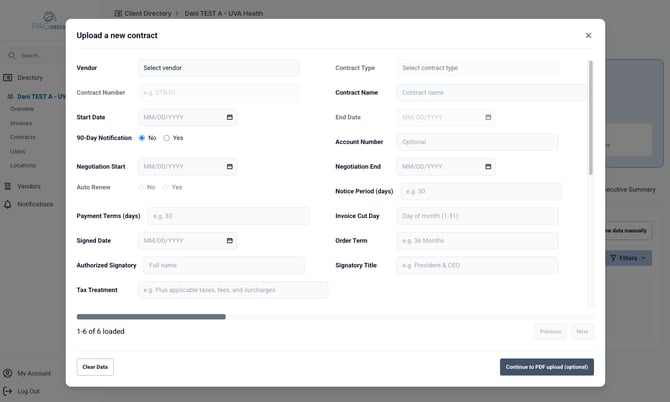
Capture the information available from the agreement, including:
- vendor;
- contract/order number;
- contract type;
- start date;
- end date;
- term;
- recurring amount;
- negotiation window where applicable.
A contract may be saved without a PDF when the data is known but the document is not yet available.
When a contract PDF is available, attach it so analysts can reference the source document later.
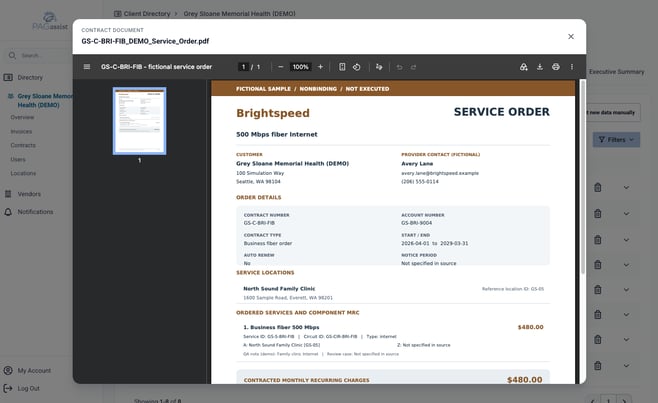
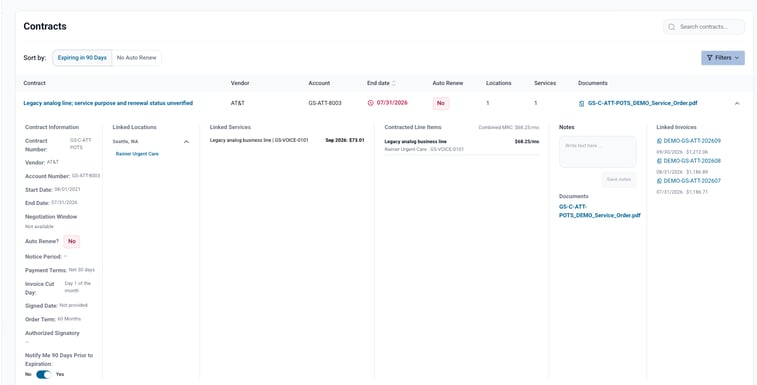
Completed and Linked Contract
VIDEO: Contract-entry walkthrough
Last verified: October 2026
Applies to: PAGassist MVP
Something look different? Report it to support@pagassist.com.