Use this article to understand why an invoice line links to a contract and to investigate whether its service and recurring charge agree with the contract.
Automatic matching supports review. Analysts still use the original invoice, contract document, and notes to establish the result.
Prepare the contract baseline
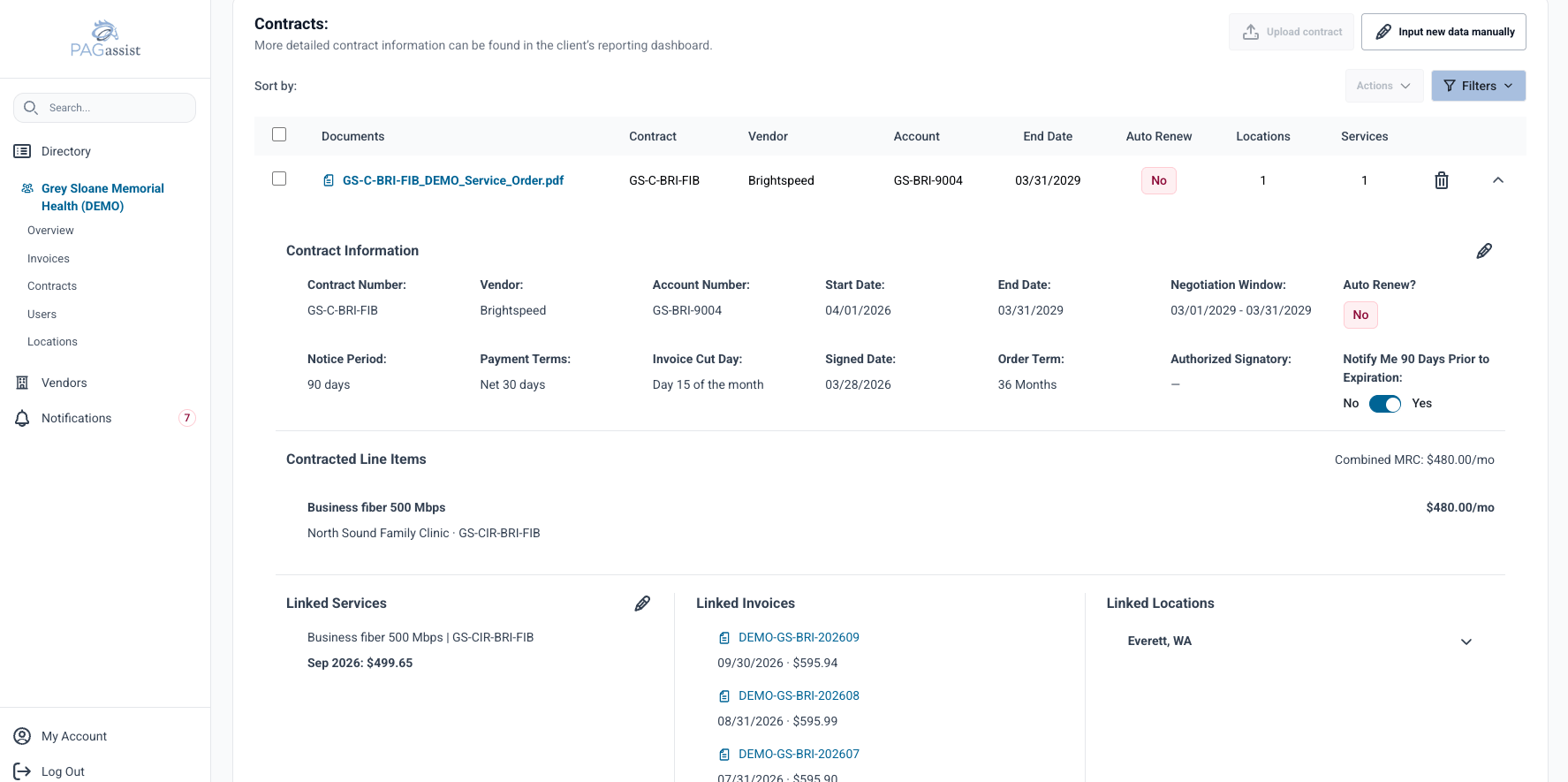
Check that the relevant records contain the account number, service references, recurring rates, quantities, and linked locations available from the agreement.
Use Add & Manage Contracts for contract-entry instructions and check the service/location links on the contract record. Contract dates remain useful review data, but the matching reference does not document an effective-date or expiry filter. Check applicability against the agreement yourself.
How matching works
Candidates must belong to the same client company and vendor. For identifier and description matching, account numbers are compatible when either side is blank or both agree after trimming surrounding whitespace and ignoring case.
|
Order / engine label |
Eligibility and comparison |
Result |
|---|---|---|
|
1 — Pass 1: identifier |
Both circuit_id on the invoice line and vendor_line_ref on the contract service contain values. Compare them ignoring case and surrounding whitespace. |
A specific contract line-item match. |
|
2 — Pass 2.5: description token |
Only when circuit_id is blank. Split line_desc on whitespace, a vertical bar, slash, or comma; compare whole tokens with service references. Ambiguous matches across contracts do not produce a match. |
A specific service match from an identifier in the description. |
|
3 — Pass 2: account fallback |
For an eligible line still unmatched and with a blank circuit identifier, compare the invoice account number with contract account numbers, ignoring case and surrounding whitespace. |
An account-level contract link. |
The source names the account values as invoice.account_number and contract.account_number; those are source labels, not a complete physical database schema.
A populated but incorrect circuit identifier does not become eligible for the blank-identifier description or account passes. Correct it only when supported by the source invoice.
Example: With a blank circuit field, description token “AB-123” can match reference “AB-123”; token “AB-1234” is insufficient. This whole-token comparison differs from the substring scan used for outdated-tech flags.
Understand the limitations
An account-only link does not establish service coverage or a specific rate comparison.
Duplicate account behavior needs confirmation: one part of the reference requires exactly one matching contract, while another describes selecting a contract when several share the account. Duplicate service references within the same contract are also not fully explained. Verify these links manually.
Explicit analyst contract selections are documented as taking precedence over automatic matching and surviving later saves. A manual selection alone does not prove financial correctness; how a manual contract-only selection interacts with service-level discrepancy checks is not specified.
Review a discrepancy
- Identify the affected invoice/service line and determine how it is linked.
- Check the supporting contract, including service identity, applicability, rate, quantity, and locations.
- Compare the billed recurring charge with contracted monthly recurring charge × quantity when there is a specific service match.
- Investigate differences using the billing period and any supported adjustments; do not assume the detector has accounted for proration.
- Document the discrepancy, conclusion, and follow-up in PAGassist.
- Use notes to record the relevant contract page or other supporting detail.
The Overcharge finding requires a specific match from Pass 1 or 2.5. It can represent either an overcharge or an undercharge. See Understand Invoice Flags.
Saving a contract edit is documented as rechecking relevant invoices in the same company/vendor and compatible account scope. Adding a verified service can clear an Off-contract finding on recheck. Prior resolutions remain protected; do not assume a contract change reopens every finding.
Return to Review & Approve an Invoice to record the invoice decision.
Documentation updated: October 14, 2026. Behavior reference: Ben’s Auto-Match Reference — Invoice Review, describing production as of October 11, 2026. This documents the reference rather than an independent production test. Investigation steps are recommended analyst practice. Open behavior questions appear in Troubleshoot Invoice Review.