Use this page when a match, flag, location result, or financial tile does not behave as expected. Start with the source invoice and contract data, then check the documented trigger and display behavior.
When checks rerun
When triggered, reconciliation runs location matching, contract matching, contract-discrepancy checks, off-contract-location checks, and outdated-tech scanning.
|
Action |
Documented behavior |
|---|---|
|
Create an invoice through manual entry or a supported ingest/commit path |
Runs the chain. The reference lists SmartFusion CSV commit, PDF commit, and manual CSV upload. |
|
Edit any invoice-line field |
Runs the chain, including edits to fields unrelated to matching. |
|
Save a contract edit |
Rechecks relevant invoices for the same company/vendor and compatible account scope. |
|
Open an invoice or a review panel |
Does not run the chain. |
|
Change only a cosmetic header, such as invoice number or date |
Does not run the chain in the detailed trigger guidance. Match-relevant account-number header changes need confirmation. |
|
Add an outdated-tech identifier |
Does not automatically rescan all historical invoices. Later line edits run detection; a targeted invoice/identifier retro-match capability is documented, but its UI, permissions, and bulk operation are not established. |
The reference’s opening “every save” wording is broader than its detailed trigger guidance. Do not assume every Save click refreshes every result. Make supported data corrections rather than meaningless edits solely to force a check.
A contract is linked, but the service still looks unsupported
An account-only link does not establish a specific service match. Check circuit_id, description tokens when that field is blank, vendor_line_ref, account compatibility, and the contract’s service baseline.
For duplicate accounts, the reference conflicts between requiring one unique contract and selecting among several. Duplicate references within one contract also need confirmation. Use Contract Matching & Compliance Review.
An expected flag is missing
Check these possibilities:
- The unidentified recurring-charge detector lacks sufficient baseline. The exact requirement conflicts between a scoped contract service and another specifically matched line on the same invoice.
- A placeholder contract has neither services nor linked locations.
- An equivalent finding on the same line was previously resolved.
- Another flag has display priority. Overcharge’s position and stored finding multiplicity are not fully documented.
- The location panel has an entry but the row finding has not been created.
- The outdated-tech identifier was added after the invoice’s last applicable scan.
Use Understand Invoice Flags. An absence of visible flags is not proof of a correct invoice.
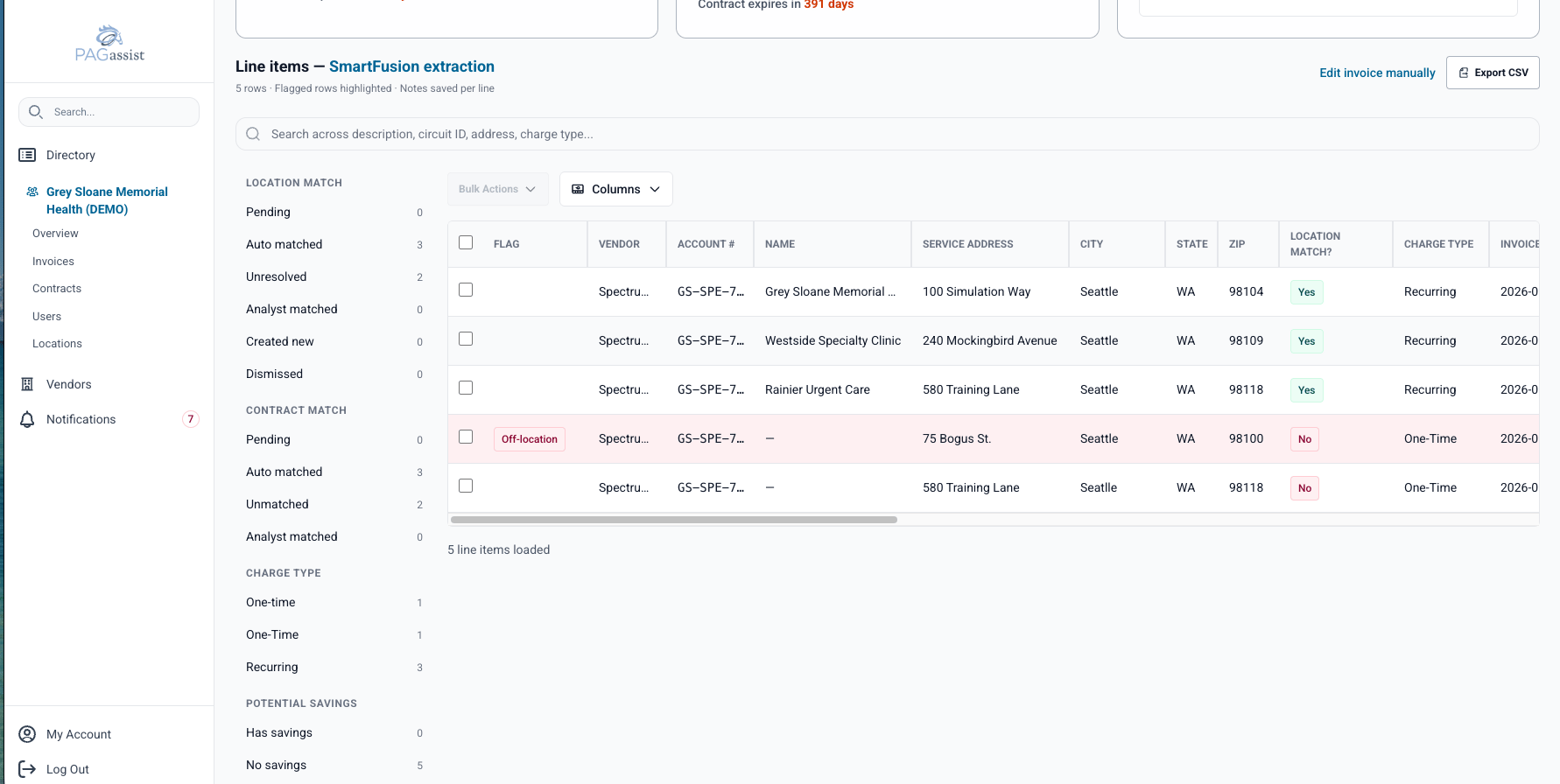
Unverified Locations has an entry without a row warning
The panel reads location_match_status; the red row highlight depends on an off_location finding.
Complete new addresses also have overlapping “created new” and “unresolved” descriptions in the source. Capture the actual address and resulting status rather than assuming automatic creation always follows one path.
A resolved finding returned
An equivalent finding on the same line is documented as staying resolved on later saves. Unexpected recurrence is described as a bug.
Record the invoice and line IDs, finding type, prior resolution, and what changed. A different imported line or finding identity may not be equivalent; the exact identity key is not documented.
Conversely, a changed situation may require manually reopening a protected finding. A rerun does not automatically reconsider every analyst decision.
A financial tile differs from the input
Check the mapped financial input rather than assuming every vendor metadata field feeds the tile. The Taxes input is line_cost_taxes. See Imports and Data Quality.
Report an issue or request a rule change
Provide the client/vendor, invoice and affected line IDs, source evidence, input or change, expected result, and actual result.
Distinguish a data correction, existing-rule configuration, suspected bug, or new application behavior. For a new rule, include an example that should trigger, one that should not, exceptions, and whether historical invoices need rescanning.
PAG can propose outdated-tech criteria and other review rules. Registry changes have cross-account impact. The current active list, editing permissions, and supported rescan process need confirmation. Tolerances, whole-word scanning, bulk rescans, and changed coverage logic are requests, not established functionality.
Documentation updated: October 14, 2026. Behavior reference: Ben’s Auto-Match Reference — Invoice Review, describing production as of October 11, 2026. This documents the reference rather than an independent production test. Investigation steps are recommended analyst practice. Open behavior questions appear in Troubleshoot Invoice Review.